
Your warehouse, organized end to end.
Receiving, storage, picking, checking and dispatch, traceable by location, lot and pallet. Boost productivity, cut errors and gain real-time visibility.
From receiving to dispatch, in four steps
- 01
Receive the goods
Import delivery notes from Excel or PDF, or enter them by hand, and check what arrives against the document.
- 02
Store them in place
Every item goes to a location with its lot and pallet, identified with labels and barcodes.
- 03
Prepare the orders
Picking follows the status of every order, and checking records shortages before the goods leave.
- 04
Dispatch with traceability
Ready orders move to dispatch and, if you use the TMS, create the transport order without re-entering them.
Everything that happens inside your warehouse
Stock and traceability
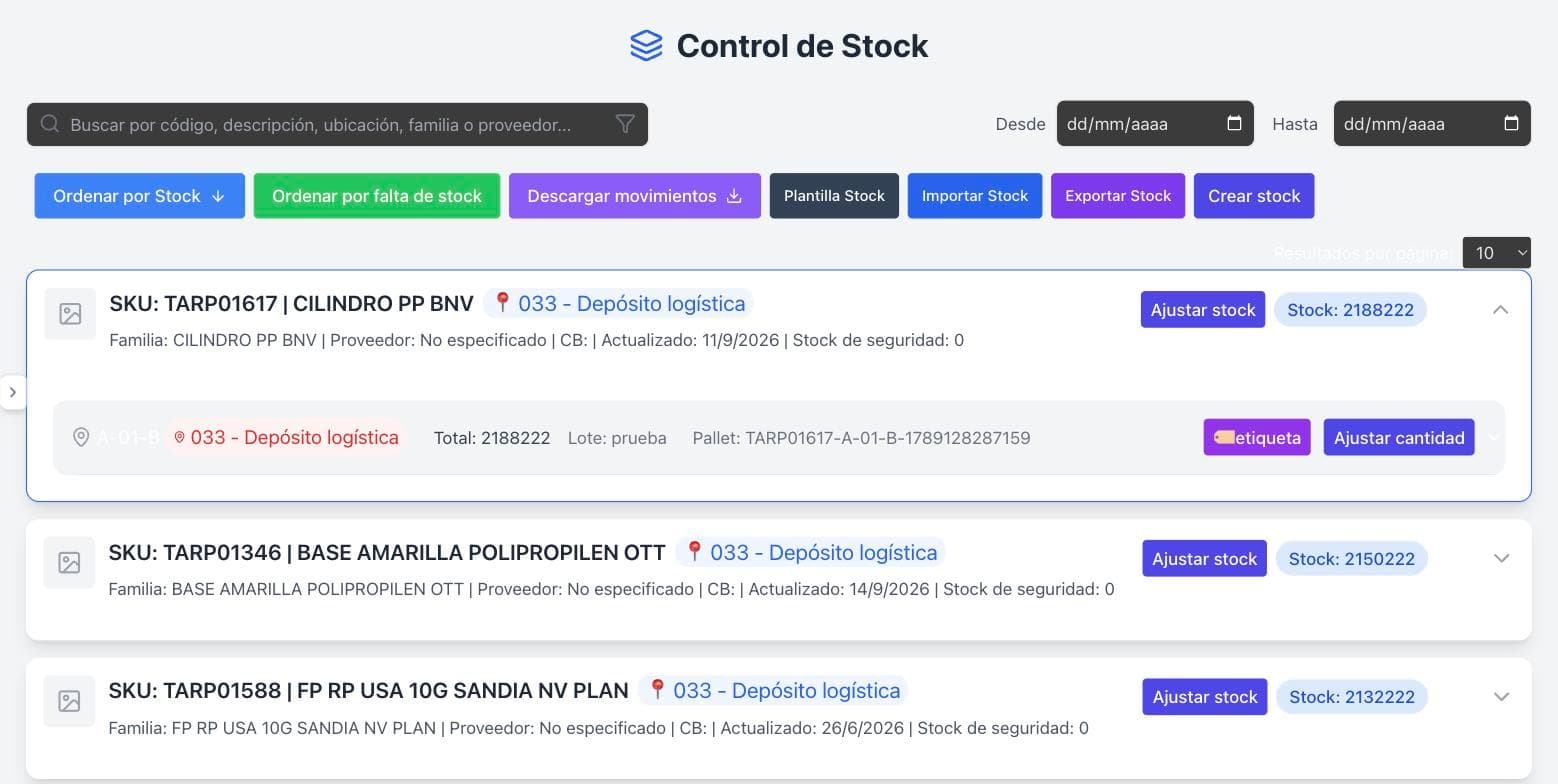
Know what you have, where, and since when
Every item’s stock is broken down by location, lot and pallet, with the history of its movements.
- Stock by location, lot and pallet
- Stock adjustments, plus Excel import and export
- Safety stock and low-stock items
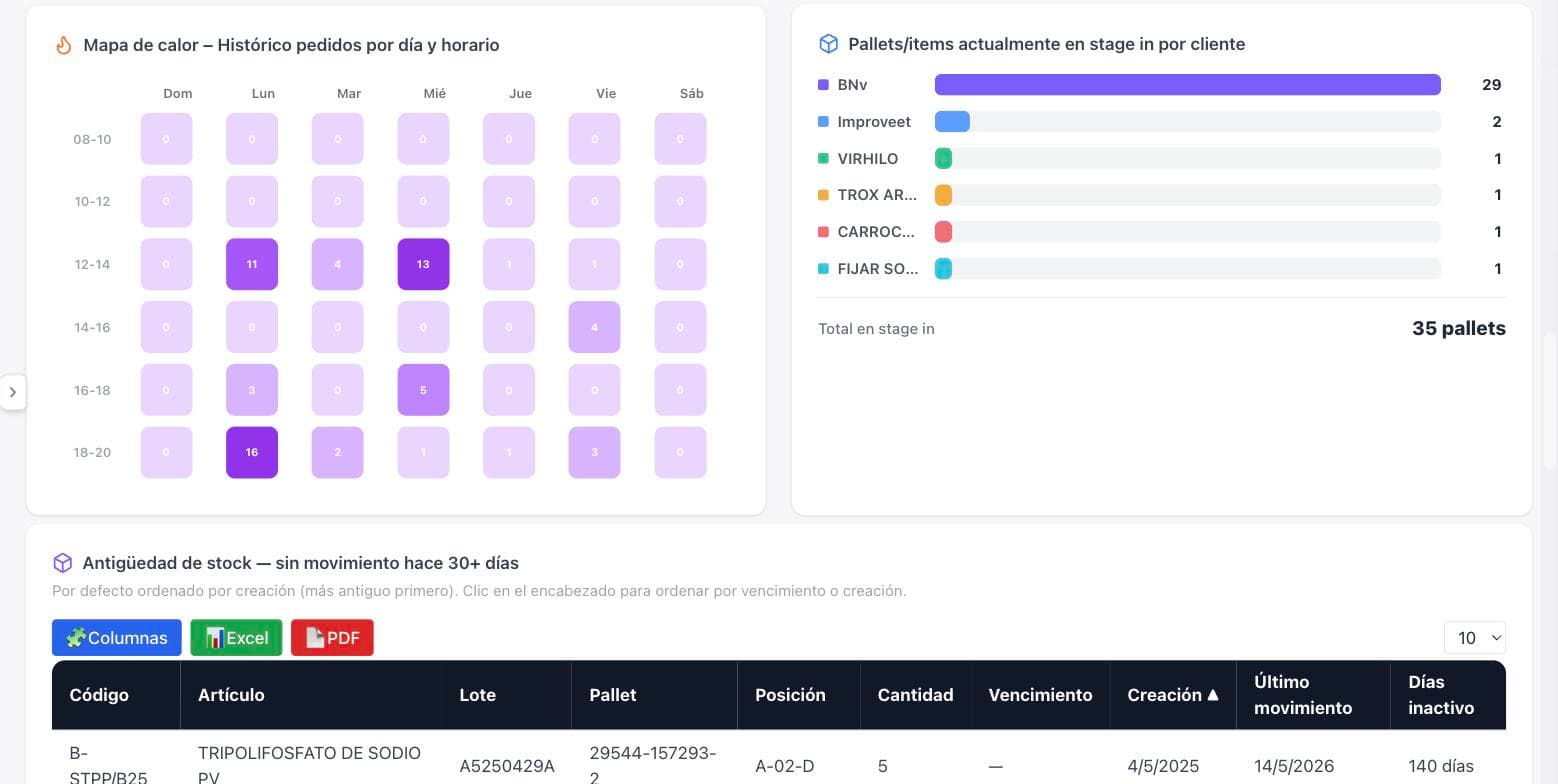
- Stock ageing: what hasn’t moved in over 30 days
Locations
A place for everything, and everything in its place
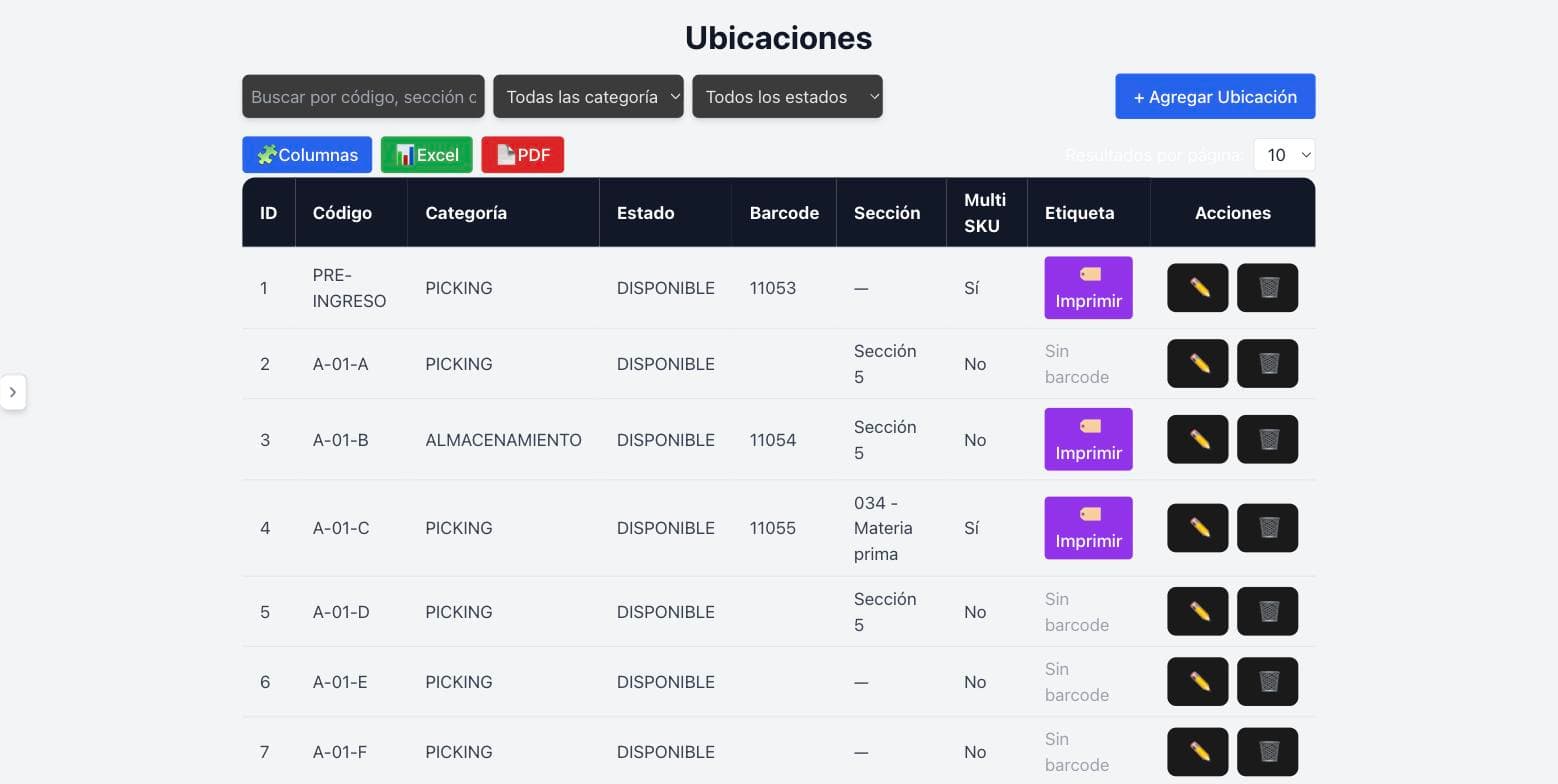
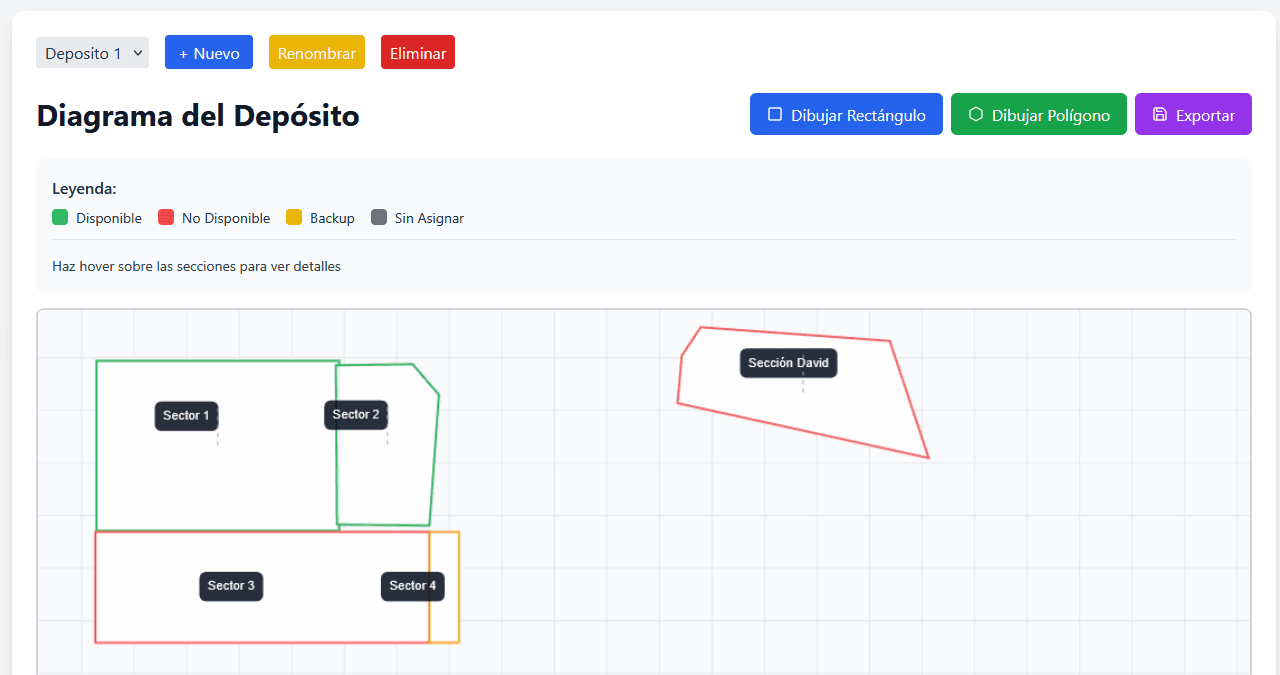
Define the warehouse locations, their purpose and status, and draw the floor plan to see how it’s used.
- Picking, storage, inbound and outbound staging locations
- Status per location: available, unavailable or backup
- Barcode labels for every location
- Warehouse diagram by site and by sector
Replenishment and slotting
Picking always stocked
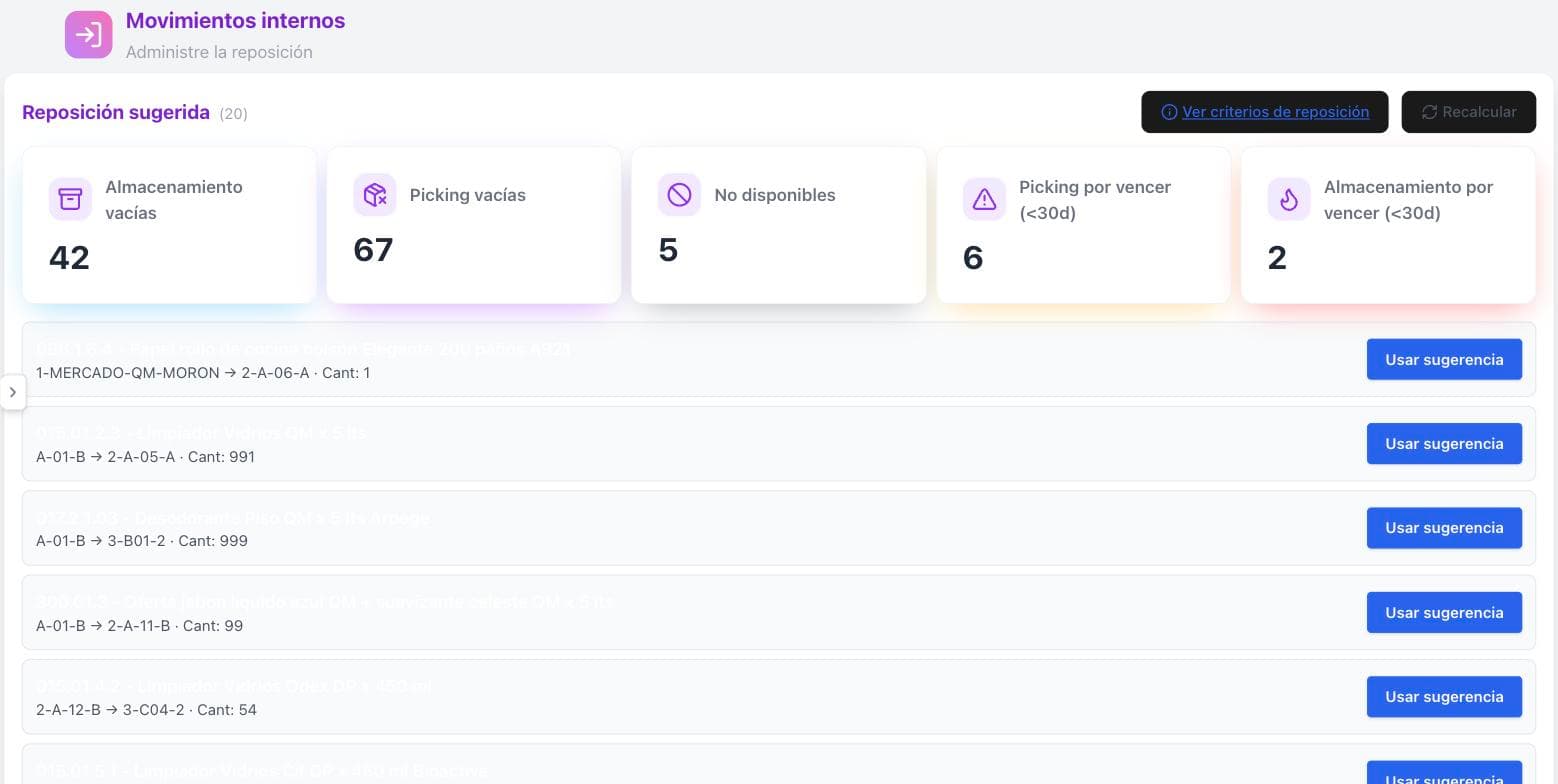
The system suggests what to move from storage to picking and flags what’s about to expire, so nobody goes looking for goods that aren’t there.
- Suggested replenishment with origin, destination and quantity
- Alerts for items expiring within 30 days
- Empty and unavailable locations at a glance
- Slotting to place each item according to its turnover
Orders and documents
Every order, from inbound to outbound
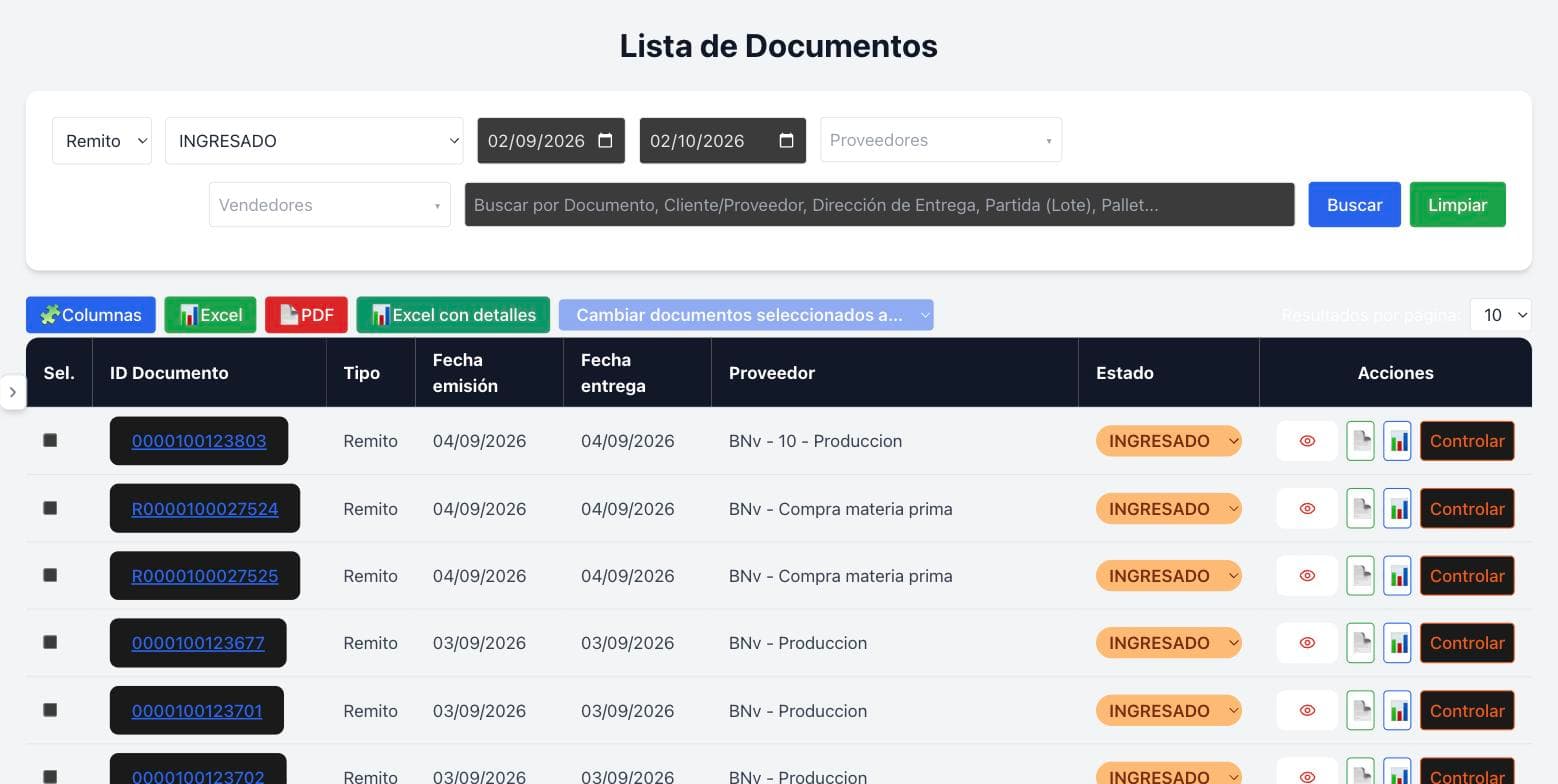
Delivery notes, orders and invoices in a single list, with their status and a check of what was prepared.
- Statuses: received, in progress, checked, dispatched and more
- Bulk Excel import and PDF delivery note reading
- Order checking with shortage tracking
- Transport orders issued straight to the TMS
Dashboards
The operation, in real time
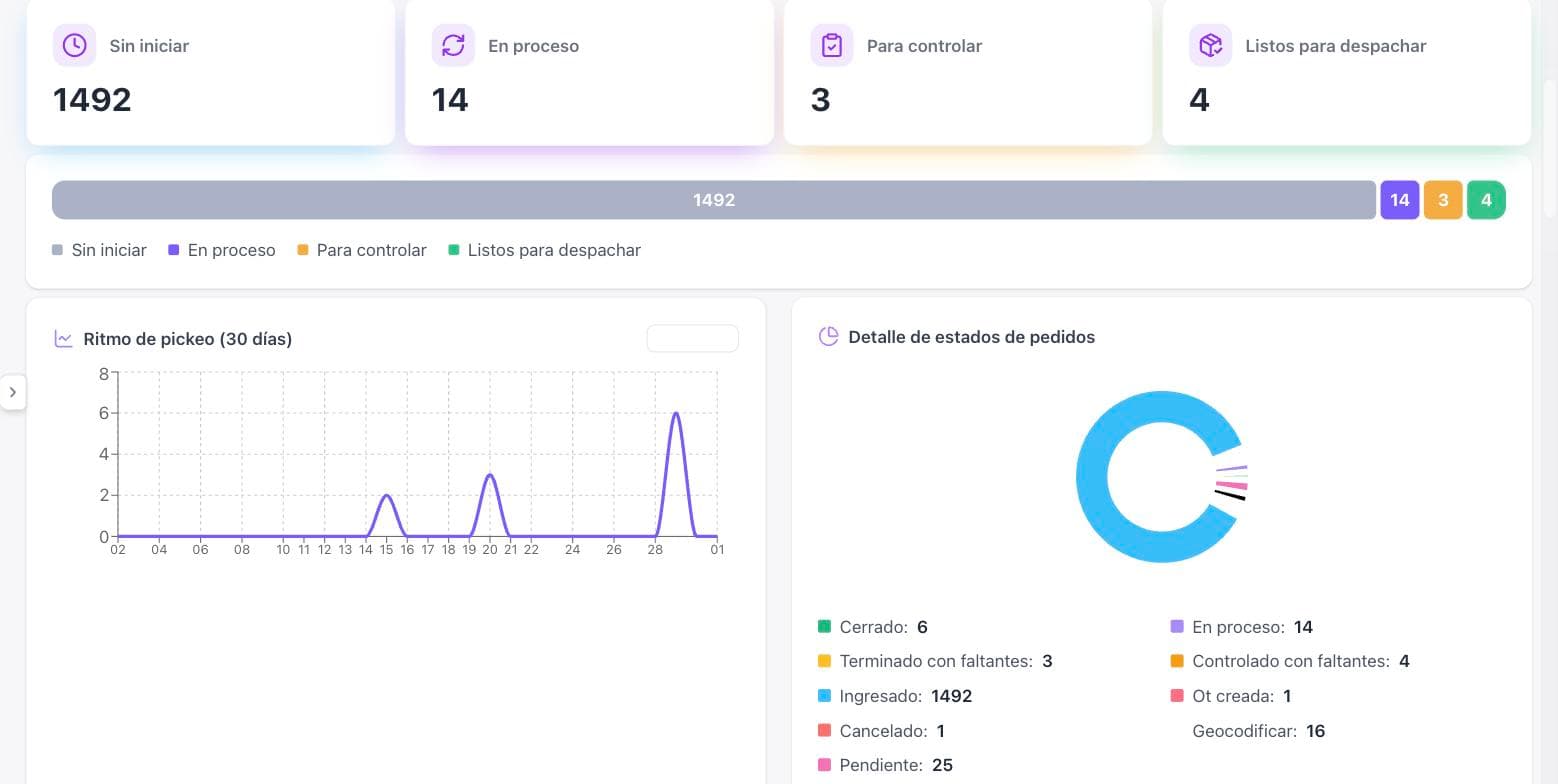
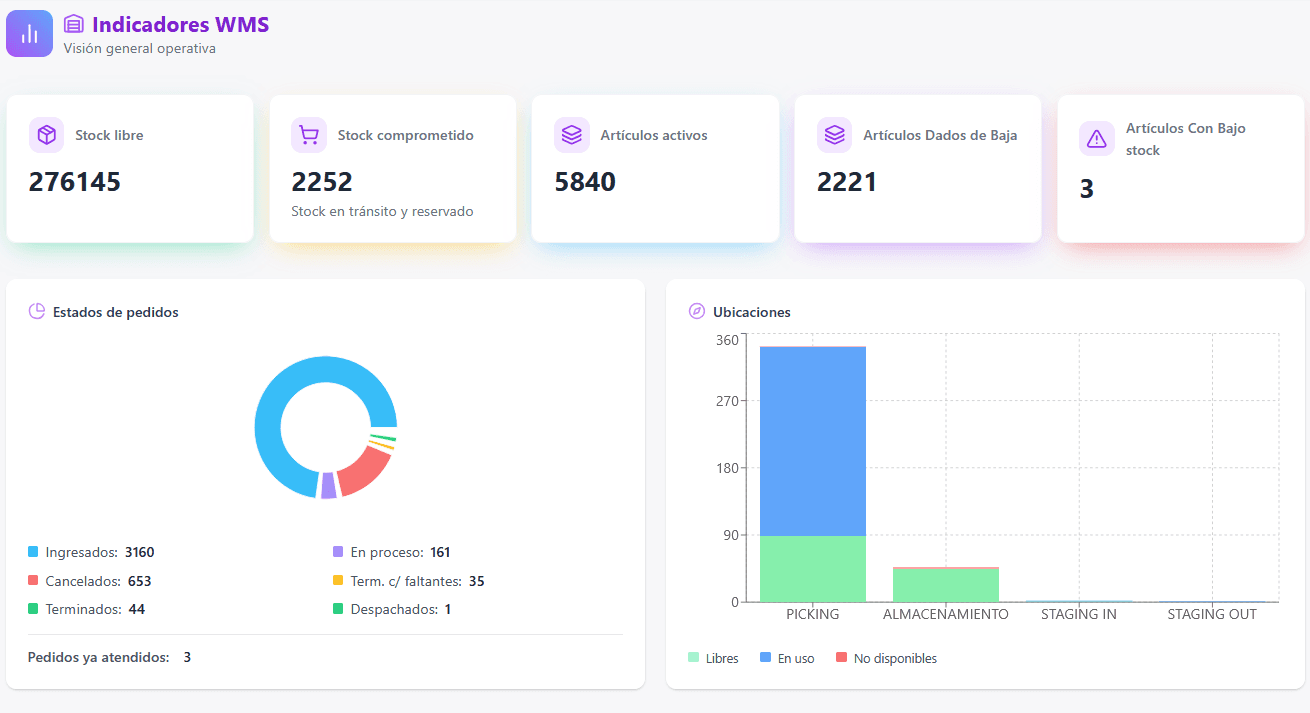
The supervisor monitor shows how the day is going and where the operation gets stuck, without waiting for a report.
- Orders not started, in progress, to be checked and ready to dispatch
- Picking pace and incoming order trend
- Order heat map by day and time slot
- Location occupancy and pallets in staging by customer
What changes in the warehouse
- −33 %Picking time
- −90 %Dispatch errors
- −25 %Receiving-to-dispatch cycle
Average across past projects, for reference only. Each project’s outcome is defined during the diagnostic stage.
A proven WMS, tailored to your warehouse
The product already exists: we adapt and customize it to what your industry and your warehouse need. And because we’re not just technology but engineers with field experience, we implement it together with optimized processes, not on top of the old ones.
Our own product, adapted to you
We start from a WMS that already works and customize it for your industry: sites, locations, categories, statuses and reports.
Engineers with field experience
We know a warehouse from the inside. We map your operation on site before touching the system, to solve the real problem.
System and processes, together
We implement the WMS with optimized receiving, storage and picking processes, and train your team so the improvement lasts.
Standard implementation · 4 months
Want to see the WMS with your warehouse?
Tell us how your warehouse works today and we’ll show you how it would look in the system.